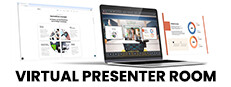

Download Virtual Presenter Room - virtual presenter room, virtual studio, digital studio, virtual production, live stream, presentation, meeting, video call, webcam integration, capture card, on-screen controls, OBS Studio, Zoom, Skype, YouTube, Twitch
Overview
The Virtual Presenter Room (VPR) Demo offers a simulated digital environment designed for live streaming, professional presentations, and virtual meetings. Built as a 3D studio platform, it enables users to create polished content with integrated webcam and capture card functionality. The demo provides a glimpse into a workflow that merges real-time video input with virtual production tools, targeting creators, educators, and remote professionals who rely on high-quality visual communication.
The developer, Virtual Presenter Room, has positioned the tool as a streamlined solution for those seeking an immersive yet accessible digital workspace. While specific story elements or narrative depth are not applicable, the experience centers on usability, integration, and real-time control. The simulation genre allows for a realistic representation of studio environments without the need for physical equipment.
The intended audience includes content creators, remote team leaders, and educators aiming to elevate their virtual presence. The publisher has not shared detailed story information, and no gameplay mechanics are involved, as this is a demonstration of a production tool rather than a traditional game.
Gameplay & Core Mechanics
The Virtual Presenter Room Demo operates as a simulation environment where users interact with a virtual 3D studio space. The core mechanics revolve around real-time integration of live video feeds from webcams and capture cards, allowing users to appear within a customizable digital backdrop. On-screen controls enable real-time adjustments to lighting, camera angles, and virtual set elements.
The simulation supports seamless connectivity with popular platforms such as Zoom, Skype, YouTube, Twitch, and OBS Studio, ensuring compatibility with existing workflows. Users can manage their virtual presence through intuitive interface elements, including layering, transitions, and real-time feedback. The demo does not include missions, objectives, or competitive elements, as it is not a game-based experience.
Instead, it focuses on functionality, ease of use, and technical integration. The developer did not provide additional gameplay details, and no specific features such as character customization or interactive scenarios were disclosed. The experience is designed to be accessible to users with varying technical skill levels, emphasizing simplicity and efficiency in digital content creation.
Interaction is primarily through mouse and keyboard inputs, with support for external hardware like capture cards and webcams.
Key Features
- Real-time webcam integration for live video input
- Support for external capture cards to enhance video quality
- On-screen controls for managing virtual studio elements
- Compatibility with major platforms including Zoom, Skype, YouTube, Twitch, and OBS Studio
- 3D virtual studio environment for immersive presentations and streams
- Minimal setup time and intuitive user interface
Graphics, Audio & Performance
The Virtual Presenter Room Demo features a clean, modern visual style optimized for real-time performance in a virtual studio setting. The 3D environment is designed with practicality in mind, emphasizing clarity and responsiveness over cinematic detail. Animations are smooth and consistent, supporting real-time adjustments to camera movements and virtual set elements.
Visual effects are used sparingly, focusing on functionality rather than spectacle. The audio design is minimal, prioritizing clear communication through integrated microphone inputs and system audio. No official performance benchmarks were provided, and detailed graphical settings were not disclosed.
The demo runs on Windows, but exact technical requirements were not listed. Performance consistency may vary depending on hardware configuration and connected peripherals. Platform-specific enhancements were not disclosed.
The overall experience is designed to be lightweight and efficient, ensuring stable operation during live streams and presentations. Users can expect minimal latency when using supported devices and software. The developer has not shared information about frame rate targets or optimization techniques.
Platform Compatibility & Requirements
The Virtual Presenter Room Demo is available exclusively on Windows. It is designed to run on standard PC hardware, though specific system requirements were not provided by the developer. The demo is offered at no cost, with a price of $0.00.
No version-specific details beyond the release date were disclosed. The software supports integration with a variety of digital tools, including Zoom, Skype, YouTube, Twitch, and OBS Studio. No information was provided about compatibility with other operating systems or mobile platforms.
Users are advised to ensure their system meets the minimum requirements for running video capture and streaming software. The developer did not list minimum system requirements, and compatibility details were not fully provided. For optimal performance, users should have a functioning webcam and, optionally, a capture card.
The demo is intended for users seeking a straightforward setup for virtual production tasks.
Pros and Cons
Pros
- Free to download and use with no cost barrier
- Seamless integration with popular platforms like Zoom, Skype, YouTube, Twitch, and OBS Studio
- Real-time webcam and capture card support for professional-grade output
- Intuitive on-screen controls for easy navigation and management
- Designed for creators, educators, and remote teams needing a virtual studio solution
Cons
- No detailed system requirements were provided by the developer
- Platform availability is limited to Windows only
- As a demo, it may not include all features of the full version
- Limited visual polish compared to high-end production software
- Performance may vary without official benchmarks or optimization data
FAQ Section
Is the game safe to download?
Yes, the Virtual Presenter Room Demo is distributed by the official developer and publisher. It is free of malware and does not require third-party installers.
Is it beginner-friendly?
Yes, the demo features an intuitive interface and on-screen controls designed for users with minimal technical experience. The setup process is straightforward and optimized for quick onboarding.
Does it receive updates?
The developer has not specified an update schedule. However, as a tool for virtual production, it is likely to receive periodic updates to maintain compatibility with streaming platforms and software.
What platforms support it?
The Virtual Presenter Room Demo is currently available only on Windows. No support for macOS, Linux, or mobile platforms was disclosed.
Does the game require an internet connection?
Yes, an internet connection is required to use the demo with online platforms such as Zoom, YouTube, Twitch, and Skype. The software also requires an active connection for streaming and real-time collaboration.
Final Thoughts
The Virtual Presenter Room Demo delivers a focused, practical solution for users seeking to enhance their live streams, presentations, and virtual meetings. While not a traditional game, it excels as a simulation tool that bridges real-world video input with digital studio capabilities. Its seamless integration with platforms like OBS Studio, Zoom, and Twitch makes it a valuable asset for content creators and remote professionals.
The free access model lowers the barrier to entry, allowing users to test the workflow without financial commitment. The clean interface and on-screen controls ensure a smooth experience, even for those new to virtual production. Although the demo lacks detailed system specifications and platform diversity, its core functionality is solid and purpose-built.
For anyone looking to create professional-grade virtual content with minimal setup, this demo offers a compelling starting point. Download Virtual Presenter Room now.







